
· 3 min read
Faster autograding in Solo and ReadAloud
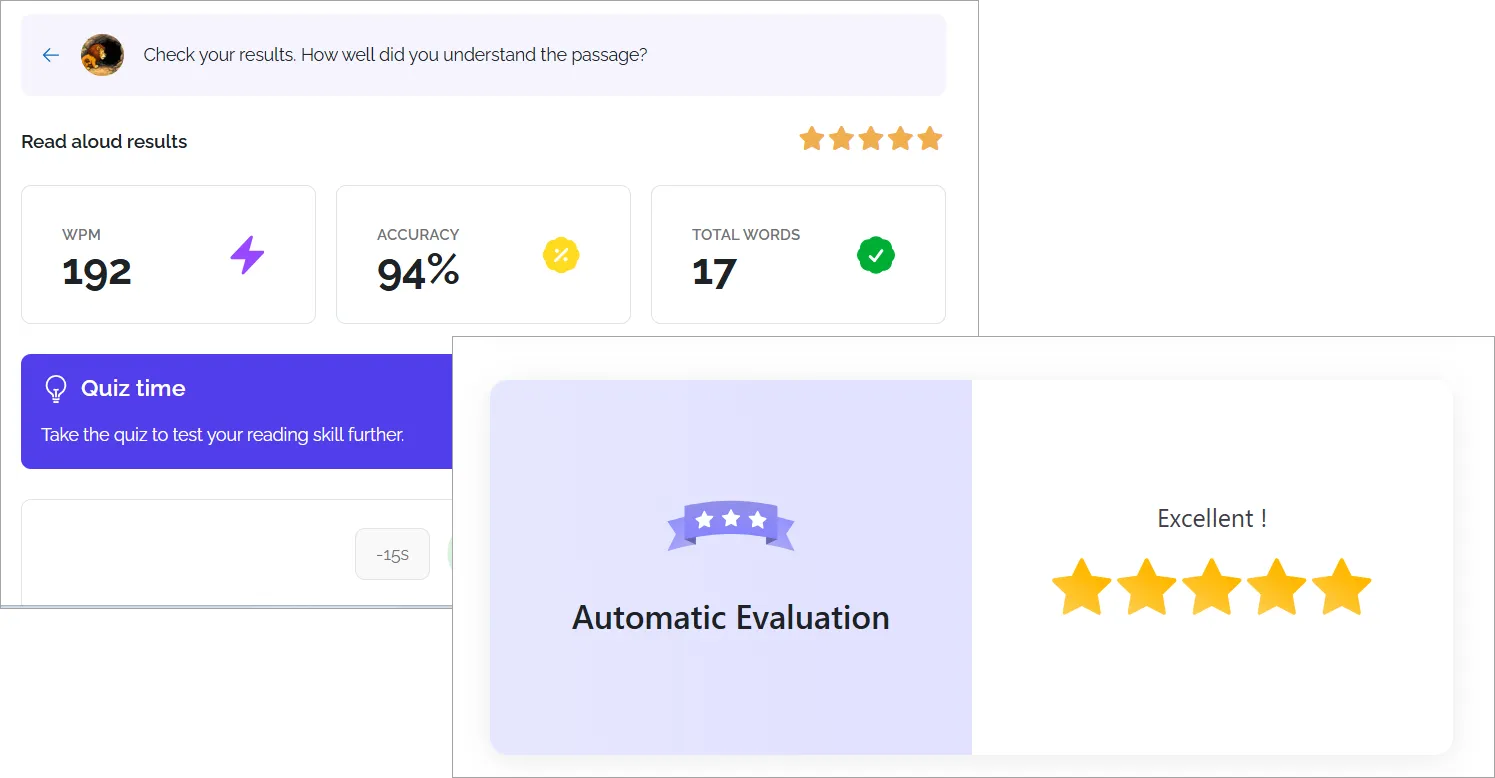
Poodll Solo and ReadAloud can now evaluate a student submission in 3 or 4 seconds.

Poodll Solo and ReadAloud are popular plugins for giving students speaking practice and realtime feedback. In both plugins there has been a delay of 30s or more while the student’s speaking was transcribed and then evaluated. Speech technology has become really good in recent times, and by using different systems to handle the speech processing we were able to bring the transcription time needed down to just a few seconds.
The Transcribers
The speech to text (STT) options that Poodll ReadAloud offered are as follows
- Guided STT (Poodll) This is Poodll’s own system. It is good for students because it uses a system where it guides the transcription towards what the student is supposed to say. So it accommodates heavy accents and rough pronunciation well. But it is processed after the audio is submitted, so it is slower. And for those who want higher pronunciation focus it is less appropriate.
- Open STT This is actually provided by a range of transcription services. These include Assembly AI, browser based speech recognitions, Google and Open AI Whisper.The specific transcriber allocated depends on the target language, device and user’s region.
NB Poodll Solo only uses Open STT.
Streaming Transcription
In addition to these we have introduced streaming transcription. This transcribes as the user is speaking, rather than waiting until they finish. Streaming transcription is only possible when Open STT is chosen. The streaming transcription options are:
- Browser transcription - This uses the web browser’s built in streaming transcriber. It is the fastest transcriber and has the widest language support. But it may not be available on mobile devices, or in China.
- Cloud / 3rd party transcription - This uses Cloud Poodll’s streaming transcriber OR if configured uses Azure streaming transcription. This gives consistent results across devices. Where browser based transcription is not available, this is the fallback.
Poodll Solo
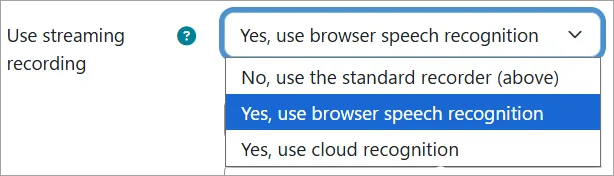
Poodll Solo only uses Open STT and the new settings are with the Solo instance settings. The default for new activities can be configured in the site administration settings. The options are:
- No, use the standard recorder - The older, slower recorder
- Yes, use browser speech recognition - Browser based STT (and fall back to cloud/3rd party when necessary)
- Yes, use cloud recognition - Cloud / 3rd party STT
Poodll ReadAloud
Poodll ReadAloud offers the choice of Guided STT or Open STT seperately for the Practice (line by line) and Read steps. If Open STT is chosen for a step, then the choice of transcriber is determined by the admin setting.
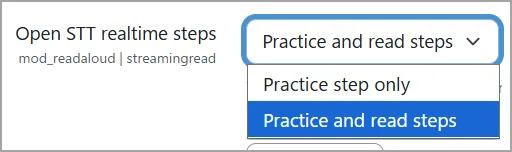
In the first admin setting you choose which steps realtime transcription applies to. The options are:
- Practice only - Just the practice step.
- Practice and Read - Both the practice and read steps
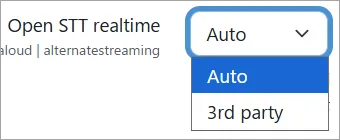
In the second setting you choose which realtime transcriber you want to use. The options are:
- Auto - Browser based recording if possible, and fall back to cloud recording otherwise.
- 3rd Party - Cloud / 3rd party recording.
Where to get the updates
The latest versions of Poodll Solo and Poodll ReadAloud on the Moodle Marketplace contain the new streaming transcription features.