
· 5 min read
Introducing - Generico Two
We have a released a new version of Generico, our popular widget/templat tool for Moodle. Generico Two turns simple tags into reusable HTML, JS and CSS templates you build once and drop in anywhere.

If you’ve ever wanted a nicer YouTube embed, a set of tabs, or an accordion inside a Moodle page, label or forum post, you might have ended up hand-pasting raw HTML into the text editor, copying it from page to page, and hoping nothing breaks the next time you need to tweak it. If you wanted something more custom than that, you were waiting on a developer.
That was the problem that our Generico filter was designed to fix. That was over 10 years ago and it has been used all over the world as a kind of swiss army knife by Moodle partners and site owners. Well we’ve rebuilt our original Generico filter from the ground up into Generico Two (filter_genericotwo). It still does the same job: you define a template’s HTML, JS and CSS once, then drop it into any Moodle text area with a short tag. But it now works in a more modern way. It uses Moodle’s mustache templating system, has better JS integration with Moodle, an AI helper in the template editor, updated default templates and more.
Though internally it has been completely re-written, it will not appear any different to the teachers and students who use the templates. It will just work better, and provide better features for template authors.
What is Generico Two?
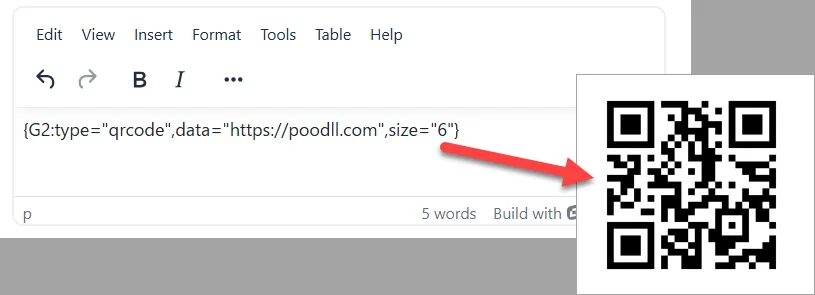
Generico Two is a Moodle text filter. Write a tag like {G2:type=youtube,videoid=AbCdEfGh} into a page, a label, a forum post — anywhere Moodle filters text — and it’s replaced at display time with the rendered output of your youtube template.
Here’s a look at the main features:
A library of ready-made presets. YouTube and Vimeo embeds, tabs, accordions, lightboxes, QR codes, audio players and more, ready to use or customise.
Create your own templates. The true power of Generico is that you can create your own templates. Create your own welcome messages, re-usable course headers, interactive math activities, buy now buttons etc.
Export/Import Templates. Templates can be exported into a text file and imported on the same site or other sites.
Templates preview. Save sample tag strings with the template and preview the rendered output on the templates settings page.
Wrapper templates. Some templates, like tabs and accordions and media players wrap other page content between a start tag and a matching
_endtag. Its a very powerful feature for creating content.Dynamic variables. Templates can pull in tag parameters,
{{USER:}}and{{COURSE:}}fields,{{URLPARAM:}}values from the page URL, and even rows from a SQL dataset via{{#DATASET}}.Capability and context checks. Restrict who sees a tag with
viewcapability/hidecapability, or which Moodle contexts a template can appear in at all.Templates live in the database. Content, JS and CSS are stored in the
filter_genericotwo_templatestable. Previously they were Moodle admin settings.One-click migration from the original Generico filter. If you’re already running
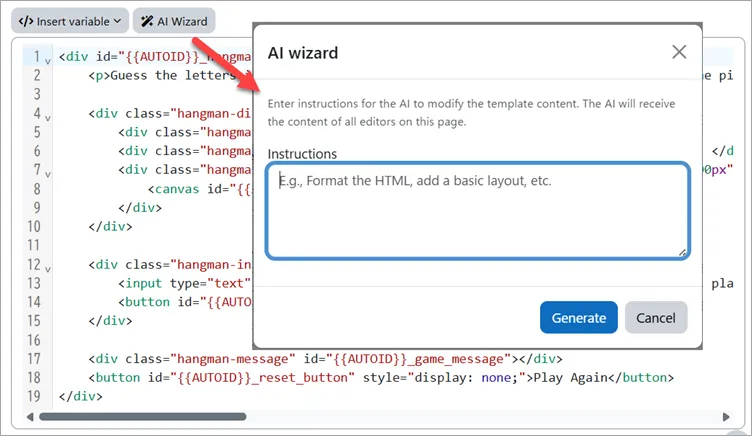
filter_generico, Generico Two can import your existing templates, matching bundled presets where it can and converting old@@variable@@syntax automatically.An optional AI helper. A button in the template editor that can generate or adjust a template’s HTML/JS/CSS from a plain-English instruction.
How it works in practice
The workflow splits neatly into two roles:
- An admin defines a template once — either from scratch or starting from a bundled preset — under Site Administration > Plugins > Filters > Generico Two filter > Templates.
- Anyone authoring content just drops a tag in, for example
{G2:type=youtube,videoid=AbCdEfGh}, into whatever they’re writing. - The filter does the rest. It looks up the template by its key, resolves all the variables, and renders the result wherever that tag appears. That all happens when a page is displayed. So if you update a template then every location where it is used is immediately updated too.
Try it out
We created a test course with some G2 widgets loaded up inside a Moodle book activity. You can try that here
Tiny Generico
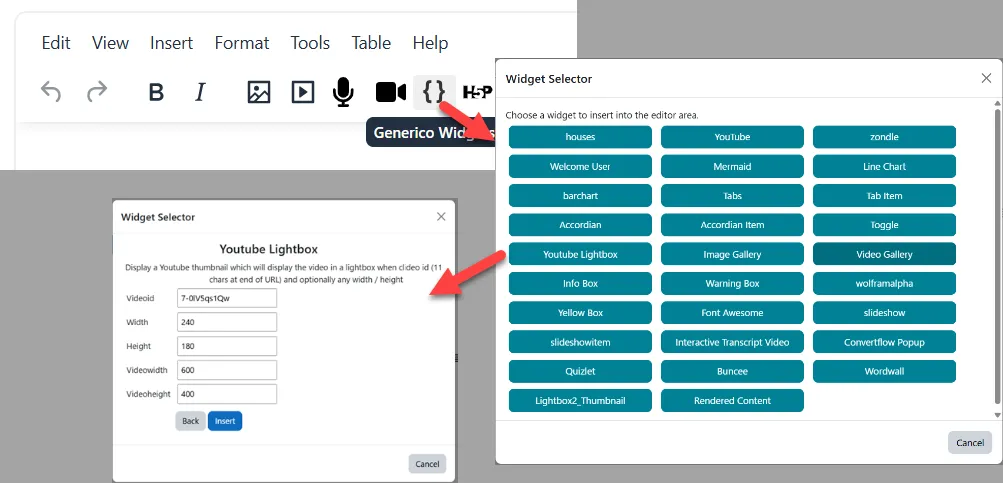
Adding template filter strings by hand, eg {G2:type=youtube,videoid=AbCdEfGh}, is not practical in most cases. That is because most template users can not be expected to remember the templates and their structure. So we have an editor plugin called “tiny_generico.” That provides a GUI way to choose, configure and insert template filter strings. Get that from the Moodle Marketplace.
Getting started
Generico Two needs Moodle 4.5 or later and PHP 8.0 or later.
If you’re already using the original filter_generico, there’s a Migrate legacy tool built in — it lists your existing templates and brings across the ones you select, without retyping anything.
Installation
- Download the
filter_genericotwoplugin from GitHub or from the Moodle Marketplace. - Upload the
genericotwofolder to your Moodle installation’sfilter/directory (or install it via Site Administration > Plugins > Install plugins). - Visit Site Administration > Notifications to trigger the installation.
- Enable the filter under Site Administration > Plugins > Filters > Manage filters.
Further Notes
- Templates can query the database directly through a
datasetSQL setting, then loop over the results in the template with{{#DATASET}}...{{/DATASET}}— handy for things like a live leaderboard or a filtered list of resources. - The AI helper is optional and can be turned off site-wide if you’d rather authors stick to hand-written templates.